
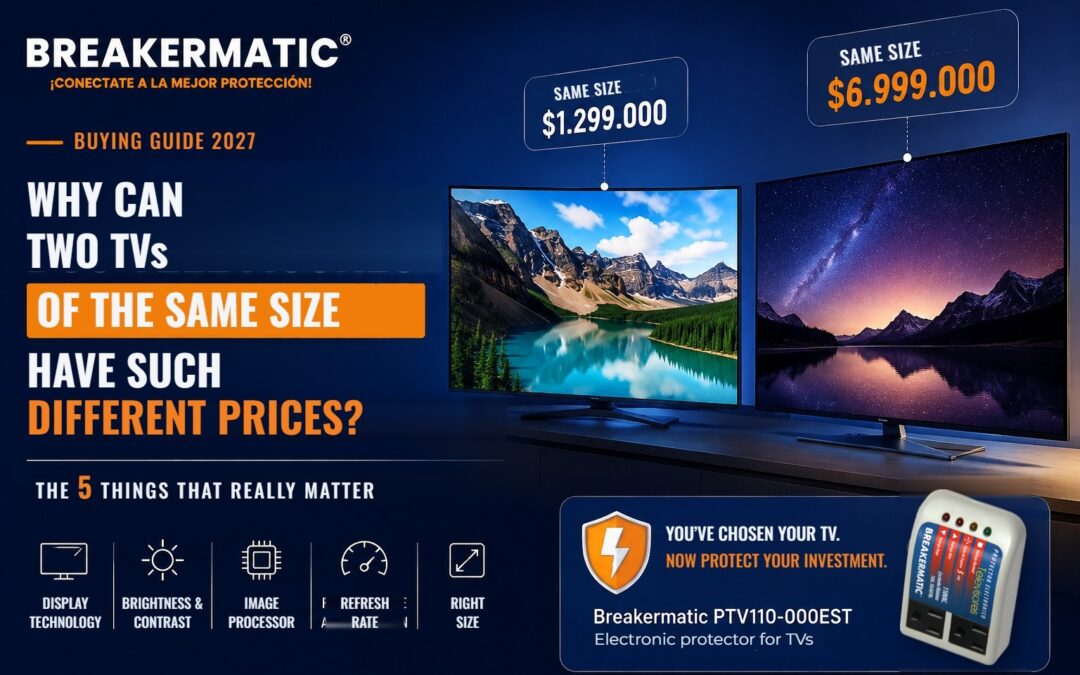
Why can two TVs of the same size have such different prices?
The answer is simple: inches only tell you the size of the screen.
However, they don’t explain how the picture will look. Nor do they tell you how bright the TV will be or how well it processes content.
That’s why two TVs of the same size can offer very different experiences.
Before comparing prices, check five things: display technology, brightness and contrast, processor, refresh rate and the right size for your space.
The 5 most important things when buying a TV
First, define how you’re going to use it. Then compare these five features.
Where is the price difference really?
Two TVs can take up the same space. However, the technology inside them can be very different.
Covers the essentials
- Conventional LED.
- 60 Hz.
- More limited brightness.
- Basic processing.
- Basic HDR.
- Less lighting control.
Much more happens behind the screen
- OLED or advanced Mini LED.
- 120–165 Hz.
- Higher HDR brightness.
- Advanced processing.
- Better motion handling.
- Gaming and advanced connectivity.
Display technology: this is where much of the difference begins
LED, QLED, Mini LED, OLED and RGB Mini LED are not the same.
Each technology controls light in a different way. That’s why blacks, contrast, brightness and color change.
In addition, display technology usually has a big influence on price.
| Technology | Main advantage | Ideal for | Keep in mind |
|---|---|---|---|
| LED | Affordable price. | Everyday use. | Less control over blacks and HDR. |
| QLED | Good color and brightness. | Family use and bright rooms. | Not all QLED TVs are high-end. |
| Mini LED | Better lighting control. | HDR, sports and bright rooms. | The algorithm matters too. |
| OLED | Per-pixel blacks and great contrast. | Movies and gaming. | Usually priced higher. |
| RGB Mini LED | High brightness and great color potential. | Next-generation premium range. | Still entering the market. |
Brightness and contrast: buy with your room in mind
A TV changes a lot depending on the light in the space.
For example, a living room with large windows needs good brightness. It’s also worth checking how it handles reflections.
In a dark room, on the other hand, contrast becomes more important. The depth of the blacks also matters.
The processor can change the picture a lot
The processor usually goes unnoticed when buying. However, it’s working all the time.
For example, it helps with motion and upscaling. It can also reduce noise and improve gradients.
This matters because not all content arrives in perfect quality.
In addition, streaming usually uses compression. That’s why a good processor can make a visible difference.
60 Hz vs 120 Hz: is it really worth paying more?
It depends on how you use it.
The refresh rate indicates how many times the picture is updated per second. That’s why it can affect how smooth motion feels.
If you game, also check for HDMI 2.1, VRR and ALLM.
However, don’t pay for 165 Hz just because the number is higher. First make sure you’ll actually take advantage of it.
More inches don’t always mean a better buy
Buying the biggest screen may seem like the best decision. However, it isn’t always.
Sometimes it’s better to choose a smaller size. That way you can invest more in the panel, brightness or processing.
You should also consider the viewing distance.
Which TV do you really need?
There’s no perfect TV for everyone. That’s why it’s best to start with how you’ll use it.
Streaming
Netflix, YouTube and series.
Prioritize picture, platform and price.Movie lover
Movies and HDR content.
Prioritize contrast, OLED and processing.Sports
Soccer and fast motion.
Prioritize 120 Hz, brightness and motion.Gamer
Modern console or PC.
Prioritize 120 Hz+, VRR and HDMI 2.1.Bright room
Lots of light during the day.
Prioritize brightness and reflection control.5 features you may not need to pay more for
A premium feature is only worth it if you’re going to use it. That’s why it’s worth separating real needs from marketing.
8K content is still limited for most people.
AI alone doesn’t guarantee a better picture.
It has little value if you don’t use compatible gaming.
It matters less if you’ll be using a soundbar.
A thin TV doesn’t guarantee a better picture.
Checklist before buying your next TV
You’ve chosen your TV. Now protect the investment.
You can choose OLED, Mini LED or QLED. You can also pay more for 120 Hz or Dolby Vision.
However, all TVs have one thing in common: they depend on the power grid.
That’s why it’s worth understanding three situations.
A protector can disconnect the device while the condition lasts.
Some protectors wait before reconnecting the load.
These are fast events that require a specific protection function.
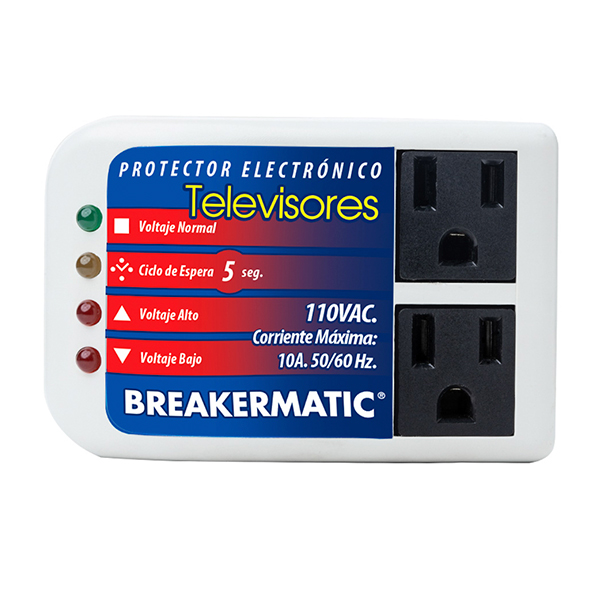
Breakermatic PTV110-000EST
This electronic protector is designed for TVs and entertainment equipment compatible with 120 VAC.
It also provides protection against certain high and low voltage conditions.
It also includes transient overvoltage suppression.
Learn about the protector →Frequently asked questions before buying a TV
Why do two TVs of the same size cost so differently?
Because inches only indicate size. The price also depends on the panel, brightness, contrast, processor, refresh rate and connectivity.
What matters more: inches or picture quality?
Both matter. However, they serve different purposes. Size depends on the space. Quality depends on the TV’s technology.
Which is better: OLED or Mini LED?
Neither wins in every scenario. OLED stands out for its blacks and contrast. Mini LED, on the other hand, can deliver a lot of brightness.
Is it worth buying a 120 Hz TV?
Yes, if you watch a lot of sports or play games. For streaming and everyday TV, 60 Hz may be enough.
Does QLED mean the TV is high-end?
No. There are QLED TVs in different ranges. That’s why you should compare the whole model.
Why is OLED usually more expensive?
OLED controls light per pixel. That’s why it can achieve very deep blacks and great contrast.
Is it worth paying more for 8K?
For most users, 4K is still enough. In addition, the availability of 8K content remains limited.
What protector does a Smart TV need?
First check the device’s voltage and consumption. For TVs compatible with 120 VAC, Breakermatic offers the PTV110-000EST.
Sources and references
- RTINGS — panel technologies, OLED vs Mini LED, processing and refresh rate.
- Dolby — Dolby Vision documentation.
- Samsung, LG, Sony, Hisense and TCL — specifications for different TV lineups.
- Breakermatic — PTV110-000EST protector spec sheet.